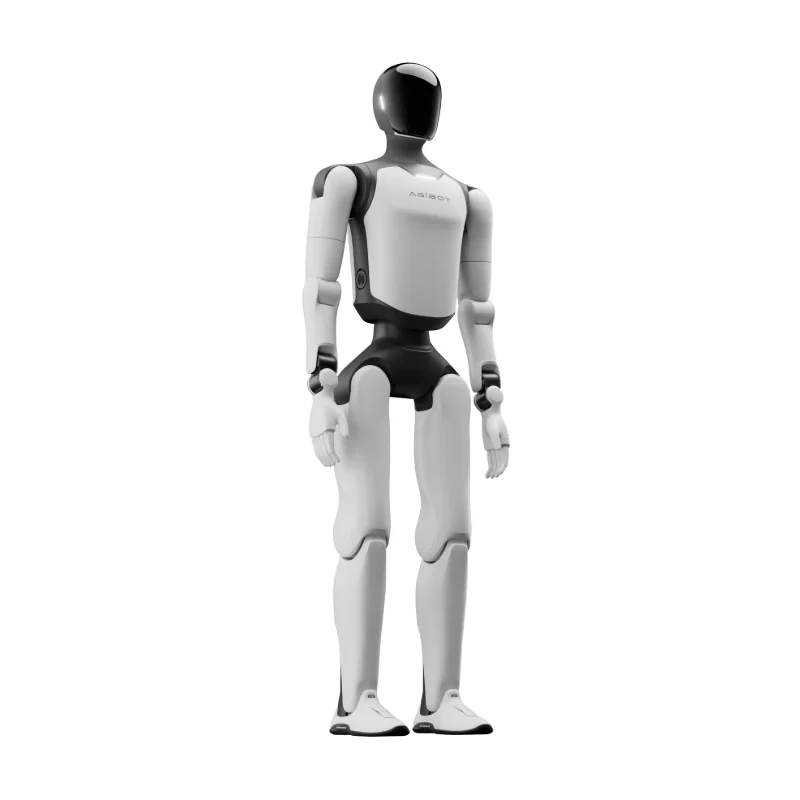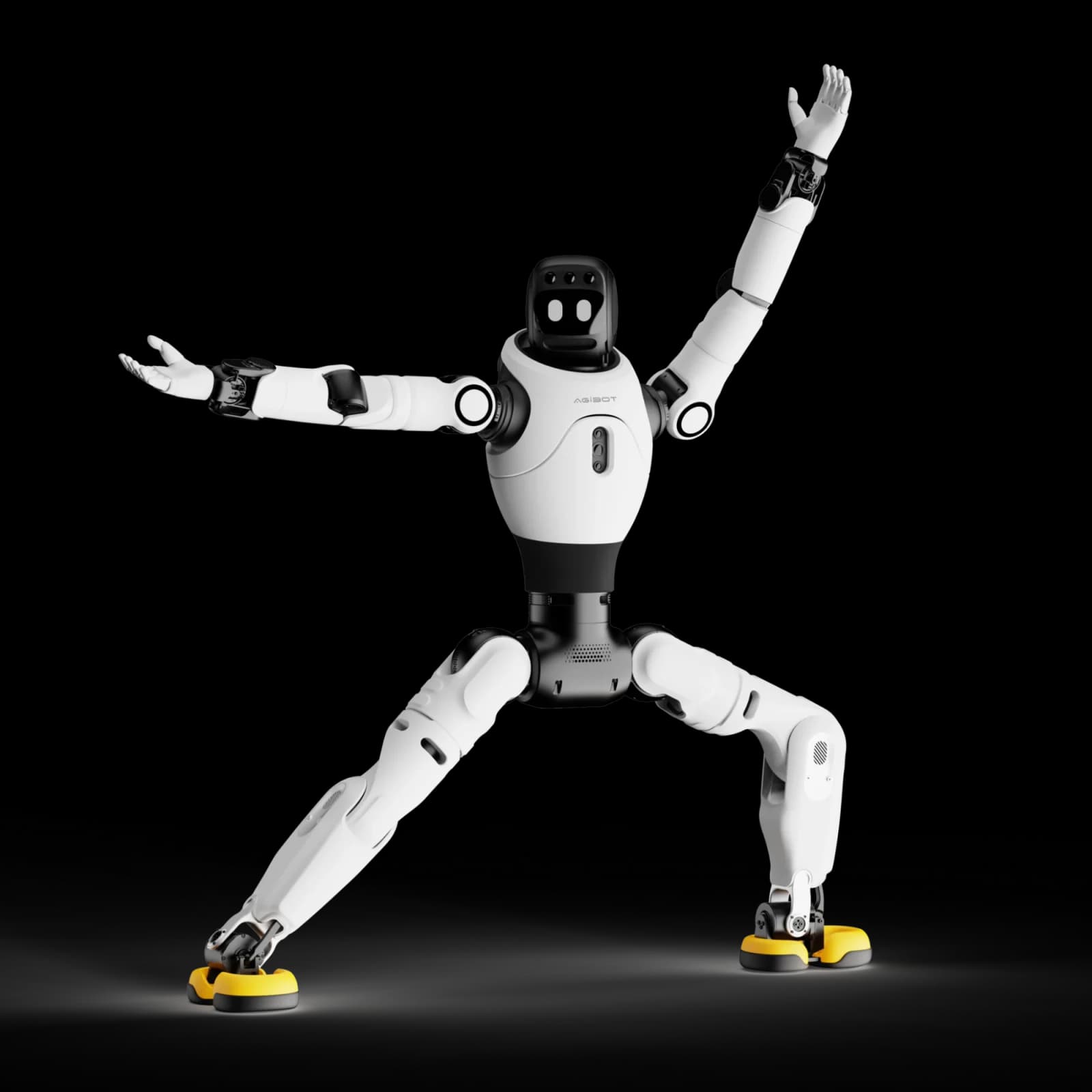
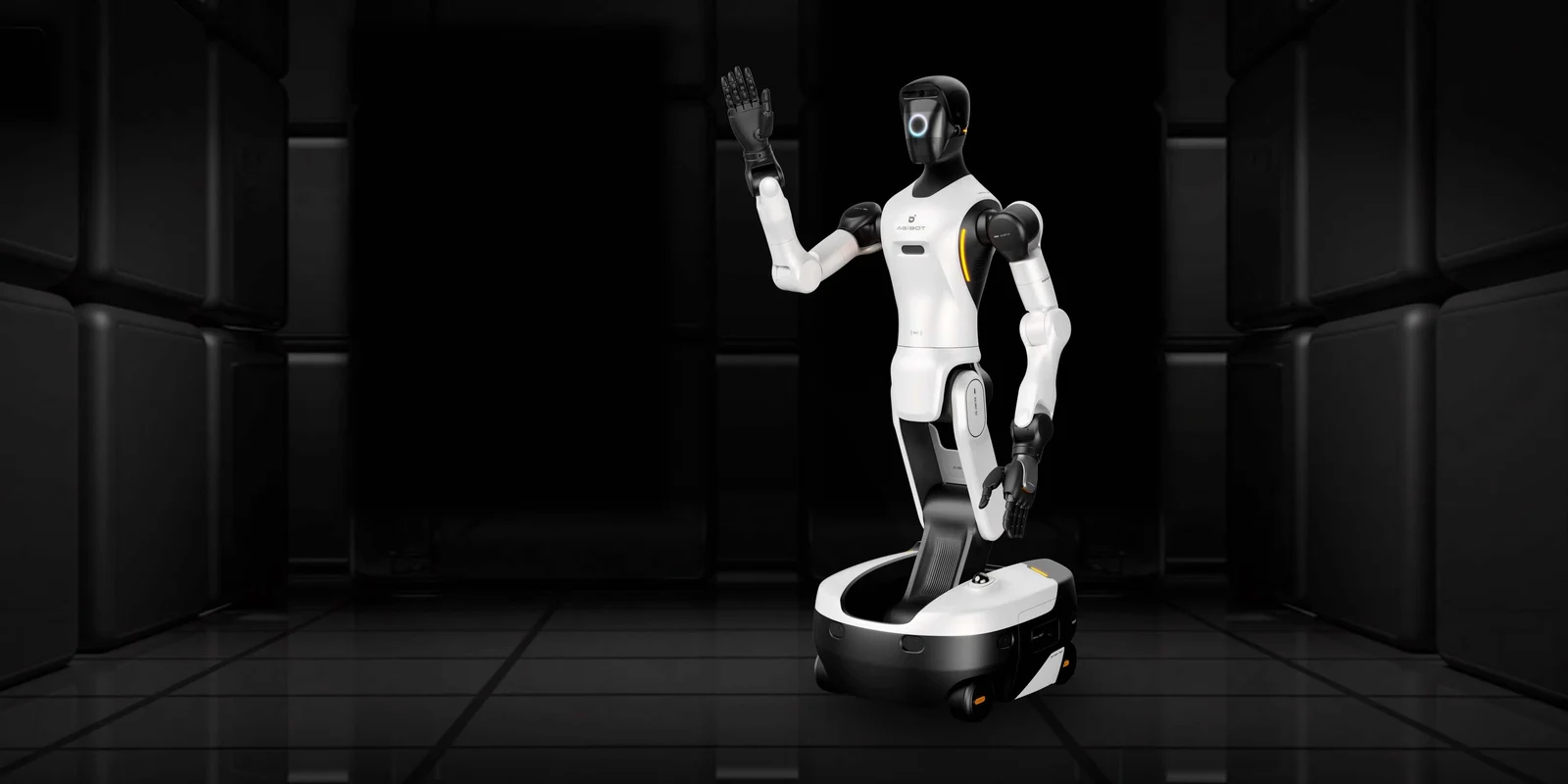
AGIBOT G2
Develop mobile manipulation around dual articulated arms and a steerable base. Confirm end effectors and teleoperation options for your setup.
- Dual articulated arms: bring two-arm manipulation into the development brief
- Steerable mobile base: evaluate movement and manipulation on the same platform
- Optional end effectors and teleoperation kits: scope the required tools separately; inclusions need confirmation
For US delivery inquiries, include your state and intended use. We confirm configuration, pricing, availability and lawful supply before sending your quote or invoice.
A closer look.
Published specifications describe the cited manufacturer configuration. Your supplied configuration is confirmed in your quote.
- Dimensions (L × W × H)
- 760 × 640 × 1225–1795 mmSource
- Mass
- 185 kgSource
- Body degrees of freedom
- 25 excluding end effectors (G2 user manual)Source
- Rated arm payload
- 5 kg per arm; 10 kg dual-arm ratedSource
- Standard compute
- 500 TOPS INT8 (standard configuration)Source
- System energy / endurance
- 1652 Wh across two batteries; approximately 4 hoursSource
Configuration and reference notes
The brochure lists 26 body DOF versus 25 in the manual. Standard compute is 500 TOPS INT8; high-compute is 2070 TFLOPS FP4, a different precision and unit. Manual slope guidance says ≤5% while its table says ≤5°; approved slope remains pending. Hands, dock, compute revision, kits and licenses need confirmation. End effectors are optional and not hot-swappable; continuous operation requires replenishment.
Manufacturer reference tables.
Open the original parameter tables to compare documented versions. Source rows, units and conditions are retained; different versions are not merged into a promised configuration.
These are manufacturer references, not confirmation of your delivered hardware, warranty, field performance or event suitability. Final configuration and terms are agreed in your quote.
AGIBOT G2 manual — 2.5 Technical Specifications
Both compute configurations remain inside the original parameter text; do not collapse 500 TOPS INT8 and 2070 TFLOPS FP4. End effectors remain optional and not hot-swappable.
Document: Release: 2026-07-30 18:04:49
Source model labels: Standard Computing Version / High Computing Version
Source location: HTML table index 1 (zero-based), all direct source rows; header spans retained
Source qualifications
- Manual parameter table says 25 body DOF; brochure reference says 26.
- Operating guidance uses ≤5% slopes while the parameter table uses ≤5°. No unit equivalence is inferred.
On a small screen, swipe sideways within the table to compare columns.
| Group | Indicator | Parameter |
|---|---|---|
| Basic Specifications | Height | 1225 mm ~ 1795 mm |
| Width | 640 mm | |
| Length | 760 mm | |
| Weight | 185 kg | |
| Degrees of Freedom (excluding end effectors) | 25 | |
| Vertical Workspace (with O10) | 0 ~ 2.3 m | |
| Dual-Arm Reach (with O10) | 2.3 m | |
| Operating Temperature | 0℃ ~ 45℃ | |
| Storage Temperature | -20℃ ~ 60℃ | |
| Operating Humidity | ≤90% | |
| Range of Motion | Head Pitch | ±70° |
| Head Roll | ±20° | |
| Head Yaw | ±30° | |
| Waist Yaw | ±174° | |
| Waist Roll | ±24° | |
| Waist Pitch | -104° ~ 58° | |
| Knee | 0° ~ 151° | |
| Ankle | -61° ~ 0° | |
| Shoulder Pitch | ±178° | |
| Shoulder Roll | ±120° | |
| Shoulder Yaw | ±178° | |
| Elbow | -145° ~ 60° | |
| Wrist Yaw | ±178° | |
| Wrist Pitch | ±90° | |
| Wrist Roll | ±60° | |
| Sensors | Head Binocular Camera | |
| Quantity | 1 | |
| Resolution | camera1: 1920 (H) * 1536 (V)camera2: 1920 (H) * 1536 (V) | |
| Frame Rate | 60 FPS | |
| FOV | 118° (H) * 92° (V) | |
| Head Fisheye Camera | ||
| Quantity | 3 | |
| Resolution | 1920 (H) * 1537 (V) | |
| Frame Rate | 30 FPS | |
| FOV | 215º (H) * 170º (V) | |
| Head RGBD Camera | ||
| Quantity | 1 | |
| RGB Resolution | 1280 (H) * 800 (V) | |
| RGB Frame Rate | 60 FPS | |
| RGB FOV | 94° (H) * 68° (V) | |
| Depth Resolution | 1280 (H) * 800 (V) | |
| Depth Frame Rate | 30 FPS | |
| Depth FOV | 90° (H) * 65° (V) | |
| Wrist RGBD Camera | ||
| Quantity | 2 | |
| RGB Resolution | 1920 (H) * 1080 (V) | |
| RGB Frame Rate | 25 FPS | |
| RGB FOV | 105° (H) * 85° (V) | |
| Depth Resolution | 640 (H) * 480 (V) | |
| Depth Frame Rate | 25 FPS | |
| Depth FOV | 90° (H) * 70° (V) | |
| Chassis LiDAR | ||
| Quantity | 2 | |
| Minimum Detection Distance | 0.1 m | |
| Distance Measurement Accuracy (1σ) | ≤2 cm (@10 m), ≤3 cm (@0.2 m) | |
| FOV | 360° (H), -7° ~ 52° (V) | |
| Point Rate | 200,000 points/s | |
| Frame Rate | 10 Hz | |
| Chassis Ultrasonic Radar | ||
| Quantity | 8 | |
| Distance Measurement Accuracy | 20 mm | |
| Detection Distance | 30 ~ 3000 m | |
| Detection Angle | 100°±10° (H), 60°±10° (V) | |
| Chassis IMU | ||
| Gyroscope Full-Temperature Zero-Bias Error | 0.015 °/s (typical), 0.03 °/s (maximum) | |
| Gyroscope Measurement Range | ±250 °/s | |
| Gyroscope Zero-Bias Stability | 4 °/h (typical), 6 °/h (maximum) | |
| Accelerometer Measurement Range | ±8 g | |
| Accelerometer Full-Temperature Zero-Bias Error | 1.5 mg (typical), 2 mg (maximum) | |
| Accelerometer Zero-Bias Stability | 0.07 mg (typical), 0.1 mg (maximum) | |
| Head Microphone | ||
| Quantity | 4-microphone array | |
| Sensitivity | -32±3.5 dB | |
| Signal-to-Noise Ratio | 70 dBA | |
| Head Speaker | ||
| Quantity | 1 | |
| Rated Power | 8 W | |
| Maximum Power | 10 W | |
| Impedance | 4 Ω ± 15% | |
| Resonant Frequency | 200±20% Hz | |
| Sensitivity | 83±3 dB | |
| Frequency Response Range | f₀ ~ 8 kHz | |
| Head | Degrees of Freedom | 3 |
| Interactive Screen Size | 6.3 inches | |
| Interactive Screen Brightness | 500 nit | |
| Arm | Degrees of Freedom | 7 |
| Rated Payload per Arm | 5 kg | |
| Rated Payload for Dual Arms | 10 kg | |
| Peak Payload for Dual Arms | 15 kg | |
| Length | 696 mm | |
| Repeatability | ±0.1 mm | |
| Absolute Positioning Accuracy | ±1 mm | |
| Joint Torque Sensor | Supported | |
| Force Control Resolution | ≤0.02 N.m | |
| Force Sensor Sampling Frequency | ≥5 kHz | |
| Torso | Degrees of Freedom | 5 |
| Type | Folding lift type | |
| Waist | Supports pitch, rotation, and lateral swing | |
| Legs | Supports folding and lifting | |
| Chassis | Type | 4 steering wheels |
| Maximum Speed | 1.5 m/s | |
| Pivot Turn | Supported | |
| Crab Steering | Supported | |
| Standard Navigation Positioning Accuracy | ±5 cm, ±3° | |
| High-Precision Navigation Positioning Accuracy | ±3 cm, ±2° | |
| Obstacle Clearance Height | 1.5 cm | |
| Climbing Capability | ≤5° | |
| Minimum Passable Width for Navigation | 850 mm | |
| Computing Platform | Standard Computing Version | |
| Computing Power | 500 TOPS (INT8) | |
| CPU Cores | 24*A78 | |
| Memory Capacity | 64 GB | |
| Storage Capacity | 2T NVME SSD | |
| High-Computing Version | ||
| Computing Power | 2070 TFLOPS (FP4) | |
| CPU Cores | 14*Poseidon-AE | |
| Memory Capacity | 128 GB | |
| Storage Capacity | 2T NVME SSD | |
| External Interfaces | Internet Port | 1 Gbps |
| LAN Port | 1 Gbps | |
| LAN Port | 10 Gbps | |
| USB | Type-A USB 3.0 speed (low-computing version only) | |
| USB | Type-C USB 3.0 speed | |
| 4G/5G Card Slot | Supported | |
| Wireless Communication | Wi-Fi Network | Supported |
| Bluetooth | Supported | |
| 4G/5G | Optional | |
| Power Supply | Number of Batteries | 2 |
| Total Battery Capacity | 1652 Wh (34Ah) | |
| Total Battery Life | Approx. 4 h | |
| Rated Voltage | 48 V | |
| Rated Current | 8.3A | |
| Rated Power | Approx. 400 W | |
| Wireless Terminal | Screen Size | 11.5 inch |
| Screen Resolution | 2000 (H) * 1200 (V) | |
| Others | Physical Emergency Stop Button | Supported |
Manufacturer conditions and footnotes
- Important Safety Instructions
- Note : Be sure to read this manual before using this Product.
- Warning : Read all safety warnings and operating instructions. Failure to comply with the relevant requirements may result in electric shock, fire, or serious personal injury.
- CAUTION: When connecting the Standard Computing Version to the building’s floor or wall Ethernet outlet using a network cable, an Ethernet signal surge protective device (SPD) must be connected in series to prevent physical damage to the controller interface caused by external induced lightning strikes and transient overvoltage.
- CAUTION: End-effectors are NOT hot-swappable. Connect or disconnect the end-effector interface only when the robot is powered off.
- CAUTION: During robot charging, do not remotely control the robot to move or require the robot to perform autonomous tasks involving chassis movement, to avoid damage to the robot or charging equipment and prevent personal safety risks.
- CAUTION: Do not replace the battery in this way while the robot is powered on, to avoid injury to the personnel replacing the battery.
- CAUTION: Operating the robot on a single battery is currently not supported.
- CAUTION: It may take several minutes to release the hardware emergency stop.
- CAUTION: Do not power off the robot during the update. Make sure the robot has sufficient battery power and is connected to the charger.
- WARNING
- CAUTION: If the browser mode is not switched, the connection may be blocked by the firewall.
Manufacturer context for this reference
2.3 Device Specifications 同步自文档 : https://agirobot.feishu.cn/docx/SD3bd19wwoyxspxDVL8cFihbnDJ#Z8IRdBhT8sSFB8bEbMxcDbJknOe
Manufacturer reference only. This table does not establish the delivered configuration, inclusions, certification, warranty, field performance or event suitability. Preserve source conditions and footnotes when displaying it.
Open manufacturer sourceAGIBOT G2 manual — Standard computing interfaces
Both compute configurations remain inside the original parameter text; do not collapse 500 TOPS INT8 and 2070 TFLOPS FP4. End effectors remain optional and not hot-swappable.
Document: Release: 2026-07-30 18:04:49
Source model labels: Standard Computing Version
Source location: HTML table index 2 (zero-based), all direct source rows; header spans retained
Source qualifications
- Manual parameter table says 25 body DOF; brochure reference says 26.
- Operating guidance uses ≤5% slopes while the parameter table uses ≤5°. No unit equivalence is inferred.
| Component/Interface | Function Description |
|---|---|
| SIM Card Slot | Supports 4G/5G network access. |
| Upper-Limb Debugging Port | Used for upper-limb debugging. For operation and maintenance personnel only. |
| Internet Port (1G) | Allows the robot to connect to the Internet through this port. |
| LAN Port (1G) | Allows the robot to connect to a local area network through this port. |
| LAN Port (10G) | Allows the robot to connect to a local area network through this port. This port supports 10 Gigabit Ethernet and is used for high-speed local data transmission. |
| DP Port | Supports connection to a monitor to display the domain controller system screen. |
| USB-A Port | Used to connect external devices such as a VR headset, keyboard, mouse, and speaker. It can also be used for perception device expansion, such as adding a LiDAR sensor or RGB-D camera. |
| USB-C Port | Same as the USB-A port. |
Manufacturer conditions and footnotes
- Important Safety Instructions
- Note : Be sure to read this manual before using this Product.
- Warning : Read all safety warnings and operating instructions. Failure to comply with the relevant requirements may result in electric shock, fire, or serious personal injury.
- CAUTION: When connecting the Standard Computing Version to the building’s floor or wall Ethernet outlet using a network cable, an Ethernet signal surge protective device (SPD) must be connected in series to prevent physical damage to the controller interface caused by external induced lightning strikes and transient overvoltage.
- CAUTION: End-effectors are NOT hot-swappable. Connect or disconnect the end-effector interface only when the robot is powered off.
- CAUTION: During robot charging, do not remotely control the robot to move or require the robot to perform autonomous tasks involving chassis movement, to avoid damage to the robot or charging equipment and prevent personal safety risks.
- CAUTION: Do not replace the battery in this way while the robot is powered on, to avoid injury to the personnel replacing the battery.
- CAUTION: Operating the robot on a single battery is currently not supported.
- CAUTION: It may take several minutes to release the hardware emergency stop.
- CAUTION: Do not power off the robot during the update. Make sure the robot has sufficient battery power and is connected to the charger.
- WARNING
- CAUTION: If the browser mode is not switched, the connection may be blocked by the firewall.
Manufacturer context for this reference
2.4 Interfaces Standard Version Standard Version High-Computing Version High-Computing Version
Manufacturer reference only. This table does not establish the delivered configuration, inclusions, certification, warranty, field performance or event suitability. Preserve source conditions and footnotes when displaying it.
Open manufacturer sourceAGIBOT G2 manual — High computing interfaces
Both compute configurations remain inside the original parameter text; do not collapse 500 TOPS INT8 and 2070 TFLOPS FP4. End effectors remain optional and not hot-swappable.
Document: Release: 2026-07-30 18:04:49
Source model labels: High Computing Version
Source location: HTML table index 4 (zero-based), all direct source rows; header spans retained
Source qualifications
- Manual parameter table says 25 body DOF; brochure reference says 26.
- Operating guidance uses ≤5% slopes while the parameter table uses ≤5°. No unit equivalence is inferred.
| Component/Interface | Function Description |
|---|---|
| SIM Card Slot | Supports 4G/5G network access. |
| Upper-Limb Debugging Port | Used for upper-limb debugging. For operation and maintenance personnel only. |
| Internet Port (1G) | Allows the robot to connect to the Internet through this port. |
| LAN Port (1G) | Allows the robot to connect to a local area network through this port. |
| LAN Port (10G) | Allows the robot to connect to a local area network through this port. This port supports 10 Gigabit Ethernet and is used for high-speed local data transmission. |
| Debug Serial Port | Robot debugging port. For operation and maintenance personnel only. |
| USB-C Port | Mainly used to connect a VR headset. It also supports connection to other external devices. |
Manufacturer conditions and footnotes
- Important Safety Instructions
- Note : Be sure to read this manual before using this Product.
- Warning : Read all safety warnings and operating instructions. Failure to comply with the relevant requirements may result in electric shock, fire, or serious personal injury.
- CAUTION: When connecting the Standard Computing Version to the building’s floor or wall Ethernet outlet using a network cable, an Ethernet signal surge protective device (SPD) must be connected in series to prevent physical damage to the controller interface caused by external induced lightning strikes and transient overvoltage.
- CAUTION: End-effectors are NOT hot-swappable. Connect or disconnect the end-effector interface only when the robot is powered off.
- CAUTION: During robot charging, do not remotely control the robot to move or require the robot to perform autonomous tasks involving chassis movement, to avoid damage to the robot or charging equipment and prevent personal safety risks.
- CAUTION: Do not replace the battery in this way while the robot is powered on, to avoid injury to the personnel replacing the battery.
- CAUTION: Operating the robot on a single battery is currently not supported.
- CAUTION: It may take several minutes to release the hardware emergency stop.
- CAUTION: Do not power off the robot during the update. Make sure the robot has sufficient battery power and is connected to the charger.
- WARNING
- CAUTION: If the browser mode is not switched, the connection may be blocked by the firewall.
Manufacturer context for this reference
2.4 Interfaces Standard Version Standard Version High-Computing Version High-Computing Version
Manufacturer reference only. This table does not establish the delivered configuration, inclusions, certification, warranty, field performance or event suitability. Preserve source conditions and footnotes when displaying it.
Open manufacturer sourceAGIBOT G2 manual — Charging power parameters
Both compute configurations remain inside the original parameter text; do not collapse 500 TOPS INT8 and 2070 TFLOPS FP4. End effectors remain optional and not hot-swappable.
Document: Release: 2026-07-30 18:04:49
Source model labels: AGIBOT G2 charging system
Source location: HTML table index 8 (zero-based), all direct source rows; header spans retained
Source qualifications
- Manual parameter table says 25 body DOF; brochure reference says 26.
- Operating guidance uses ≤5% slopes while the parameter table uses ≤5°. No unit equivalence is inferred.
On a small screen, swipe sideways within the table to compare columns.
| Group | Feature | Parameter |
|---|---|---|
| Output | Output Voltage | 54.75 V |
| Output | Output Current | 15 A |
| Output | Maximum Power | 821.25 W |
| Input | Input Voltage | 100 V–240 V |
| Input | Input Frequency | 47–63 Hz |
Manufacturer conditions and footnotes
- Important Safety Instructions
- Note : Be sure to read this manual before using this Product.
- Warning : Read all safety warnings and operating instructions. Failure to comply with the relevant requirements may result in electric shock, fire, or serious personal injury.
- CAUTION: When connecting the Standard Computing Version to the building’s floor or wall Ethernet outlet using a network cable, an Ethernet signal surge protective device (SPD) must be connected in series to prevent physical damage to the controller interface caused by external induced lightning strikes and transient overvoltage.
- CAUTION: End-effectors are NOT hot-swappable. Connect or disconnect the end-effector interface only when the robot is powered off.
- CAUTION: During robot charging, do not remotely control the robot to move or require the robot to perform autonomous tasks involving chassis movement, to avoid damage to the robot or charging equipment and prevent personal safety risks.
- CAUTION: Do not replace the battery in this way while the robot is powered on, to avoid injury to the personnel replacing the battery.
- CAUTION: Operating the robot on a single battery is currently not supported.
- CAUTION: It may take several minutes to release the hardware emergency stop.
- CAUTION: Do not power off the robot during the update. Make sure the robot has sufficient battery power and is connected to the charger.
- WARNING
- CAUTION: If the browser mode is not switched, the connection may be blocked by the firewall.
Manufacturer context for this reference
3.3 Charger Instructions The charger supplied with AGIBOT G2 is the UY900L-W547150 charger. The basic electrical characteristics of the charger are as follows: The charger indicator light descriptions are as follows:
Manufacturer reference only. This table does not establish the delivered configuration, inclusions, certification, warranty, field performance or event suitability. Preserve source conditions and footnotes when displaying it.
Open manufacturer sourceBrochure — AGIBOT G2 — complete Specifications grid
Document: AGIBOT-Product-Brochure-20260722.pdf
Source model labels: AGIBOT G2
Source location: physical PDF page 5
Source qualifications
- Brochure prints 26 body DOF and high-compute FP4, kept separate from manual 25 DOF and standard INT8 configuration.
| Dimensions (L×W×H) | 760mm × 640mm × 1225-1795mm |
|---|---|
| Chassis Movement Mode | Ackermann steering, in-place rotation, and omnidirectional lateral movement |
| Maximum Movement Speed | 1.5 m/s |
| Single Arm Rated Payload | 5 kg |
| Total Degrees of Freedom (excluding end effector) | 26 |
| Arm Force Control | Full Joint |
| Embodied Edge Computing Platform | NVIDIA Jetson T5000 2070 TFLOPS (FP4) |
| Perception Sensors | Fisheye Camera ×3+3D LiDAR ×2+Binocular Camera ×1+Head RGBD Camera ×1+Wrist RGBD Camera ×2+Ultrasonic Sensor ×8 |
Manufacturer reference only. This table does not establish the delivered configuration, inclusions, certification, warranty, field performance or event suitability. Preserve source conditions and footnotes when displaying it.
Open manufacturer source — page 5From the right configuration to a clear quote.
Tell us your model, intended use and timeline. We review the accessories and delivery requirements with you, then send a quote or invoice for the agreed configuration.
Start an inquiry- Share your requirements
Model, intended use and timeline.
- Review the configuration
Accessories, compatibility and delivery.
- Receive your quote
Agreed scope before a quote or invoice.